Run a Christmas Tree Lot Lot Decorations: Item Guide
Explore Run a Christmas Tree Lot lot decorations, from the snow machine to First Frost rewards, and plan a festive layout with room for trees and workers.
Jump to
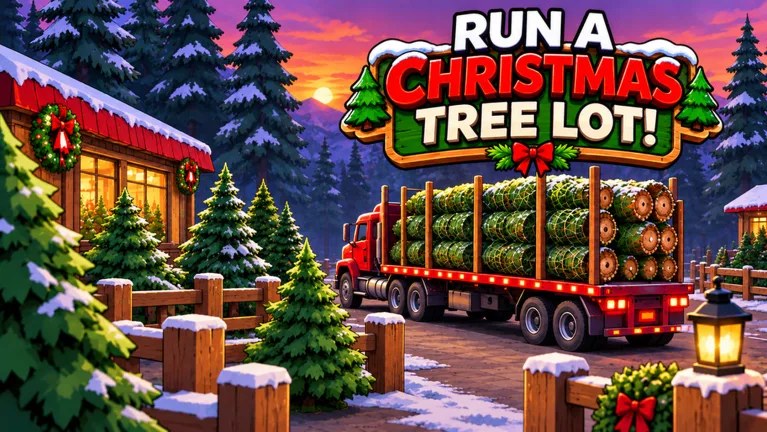
What Lot Decorations Can You Get?
Give your tree business some holiday personality with a snow machine, festive furniture, or a Santa sled. Run a Christmas Tree Lot lot decorations give you something to work on alongside stocking trees, hiring employees, and expanding your business. Plan your display around the working lot so you can keep selling while you decorate.
The decoration selection includes a snow machine, a Christmas Sofa, and a Santa sled. The sled has an interaction beyond its appearance: you can sit on it. For a larger seasonal display, the First Frost premium reward track includes the Light-up Tree Tunnel.
Start with an item you actually want to build around. Keep enough cash for your next tree order before spending on a larger decorating project.
Official page: Run a Christmas Tree Lot (roblox.com)
How to Order Decorations
Decorations can be ordered and delivered by truck. After buying an item, wait for the shipment to arrive before collecting and placing it on your lot.

Use this order when adding something new:
- Browse the decoration selection and choose your item.
- Place the order.
- Wait for the delivery truck.
- Collect the delivered decoration and position it.
Finish one delivery before buying a whole collection. Use the item’s actual size to plan the surrounding space, especially when working with a small lot.
If delivery waits are interrupting your building sessions, the Instant Delivery game pass costs 149 Robux. It makes the supplier truck depart immediately after you place an order. The truck still delivers the purchase, so allow room in your decorating session for collecting and arranging it.
First Frost Decorations and the Light-up Tree Tunnel
The First Frost pass adds a premium reward row with exclusive Christmas decorations and cash and reputation boosts. Its named display reward is the Light-up Tree Tunnel.
Keep these details in mind before buying:
- First Frost costs 299 Robux.
- The premium row includes exclusive Christmas decorations and longer 2× Cash and 2× Reputation boosts at every tier.
- The Light-up Tree Tunnel is a tier 20 reward.
- Premium rewards for tiers you have already reached unlock immediately when you purchase the pass.
Check your current tier before spending Robux. Buying the premium row and reaching tier 20 are separate parts of getting the tunnel; plan around your progress rather than expecting every reward immediately.
If the tunnel is your decorating goal, leave room for it in your layout instead of filling every open area with smaller purchases.
Plan Your Layout Around Trees and Expansions
Tree displays take up much of the working lot. Keep different species in separate rows, then build your decoration plan around those sections. That gives you a clear structure to follow as new stock arrives.
Try these layout choices:
- Leave a route through the middle. Arrange tree rows and decorations around that opening.
- Give larger decorations their own space. Position a sled or sofa where you can approach it comfortably.
- Decorate completed sections before expansion edges. Leave flexibility near areas you expect to change.
- Check corners before extending a tiled pattern. Build a short section first so you can see how the pieces meet.
Lot expansion and headquarters upgrades change the space you are decorating. Finish the upgrade you are currently saving for before committing to an elaborate border around that area.
Keep stocking trees during the project, too. Sales fund your next orders, workers, expansions, and decorations.
Get the OG Golden Plaque With a Code
The OG Golden Plaque is a collectible reward from the code OGTICKET. Redeem it separately from your decoration purchases so you can keep your cash available for stock and upgrades.
To claim it:
- Open the game’s Menu on the right side of the screen.
- Select Codes.
- Enter OGTICKET exactly as written.
Use capital letters and check for extra spaces when entering the code. Then return to your lot and continue building around the decorations you have ordered.
Continue with
 Run a Christmas Tree Lot Lot Upgrades: What to BuyRun a Christmas Tree Lot lot upgrades explained: prioritize expansion, parking, workers, and headquarters while keeping enough cash to restock your trees.
More in Features
Run a Christmas Tree Lot Game Passes: Prices & Perks
Compare Run a Christmas Tree Lot game passes, Robux prices, and perks, from double cash to First Frost rewards. Find the upgrade that fits your tree lot.
Run a Christmas Tree Lot Hire Workers: Hiring Guide
Explore the Run a Christmas Tree Lot hire workers feature, plan your staffing budget, and use cash codes to support tree orders and your next expansion.
Continue exploring
Join the community
Official channels for news, updates and player help: