Run a Christmas Tree Lot Play With Friends: Co-Op Guide
Run a Christmas Tree Lot play with friends: learn the six-player server limit, split stocking and customer duties, and plan upgrades for group sessions.
Jump to

Can You Play With Friends?
Planning a Run a Christmas Tree Lot play with friends session? Yes—you can work together stocking trees, handling checkout, and loading purchases onto customer cars. Split those jobs before the lot gets busy so everyone has something useful to do.
- Server capacity: 6 players total, including you.
Open Run a Christmas Tree Lot on Roblox to get started. Once you're together, agree on whether you're focusing on serving customers, expanding the business, or decorating the lot. That choice helps keep purchases coordinated when someone wants another shipment and someone else is saving for an upgrade.
Split Stocking, Checkout, and Deliveries
The business runs on a straightforward loop: order trees, put them out for sale, serve customers, and reinvest the cash. With friends, divide that loop into clear responsibilities:
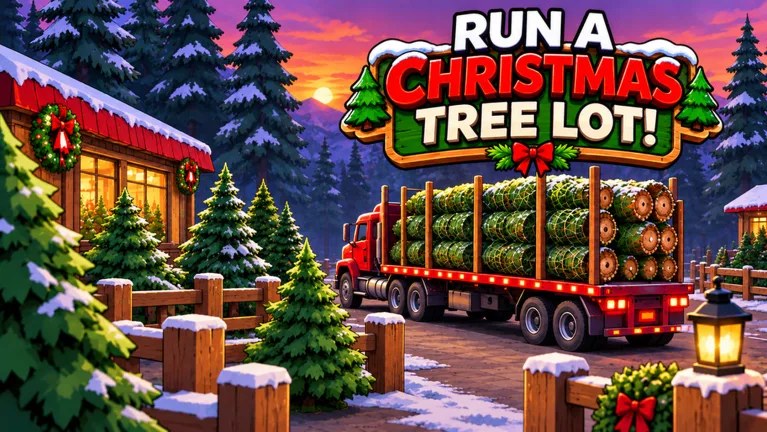 Image: Roblox / Mr. Grinchmas
- Handle inventory: Watch the remaining stock, place supplier orders, and organize arriving trees.
- Cover checkout: Work the register while teammates handle the trees.
- Load customer cars: Carry purchased trees to the waiting vehicles.
- Manage the layout: Arrange stock and decorations while keeping routes through the lot open.
These are suggested responsibilities, so switch whenever one job gets quiet. If checkout is covered but a shipment has arrived, help unload and arrange the new stock.
Group matching tree species together rather than placing every delivery in the nearest empty spot. Keep a path through the middle of the display so stocking and customer deliveries don't turn into constant weaving between trees.
Hire workers to take over routine tasks as the business grows. Then shift your attention to whichever job still needs help instead of having everyone hover around an automated station.
Coordinate Orders and Upgrade Spending
Choose one person to handle supplier orders. Call out what you're buying before placing an order, especially when several teammates are managing the same lot.
Check the demand information at Tree Supply before choosing a shipment. Order a mix of trees instead of filling most of the available space with one species, and watch what remains on display before buying more.
Keep purchases tied to the next task:
- Restock when the display is running low.
- Hire help when checkout or tree handling needs coverage.
- Expand the lot when you need more room for stock.
- Plan decorations around the space you intend to keep open.
Coordinate price changes, too. Tell your teammates before adjusting prices so the person ordering inventory understands the current sales plan. Avoid making several changes at once; watch customer reactions before changing another part of the business.
Leave room around areas you intend to upgrade. Save detailed decorating for after an expansion rather than spending the whole session arranging a corner you're about to rebuild.
Several game passes target specific parts of that workload. Instant Delivery costs 149 Robux and sends the supplier truck out as soon as you order. The 2x Cash pass costs 99 Robux and doubles profit on each tree sold, while 2x Reputation costs 79 Robux and doubles the reputation earned from happy customers. VIP costs 199 Robux; customers pay up to 15% more and leave happier reviews, and the pass also adds a gold VIP chat tag.
Keep Communication Clear While You Work
Short updates are enough to keep the lot organized: “I'm ordering trees,” “I'll cover the register,” or “Save the cash for the expansion.”
When using voice chat, stay near each other while discussing purchases; distance can make teammates harder to hear. Check Voice Chat Volume in the Roblox settings if someone's voice is too quiet.
Before stepping away, hand off your current job. Tell a friend whether you're covering checkout, waiting for a delivery, or carrying trees to cars. Have someone take that task until you return.
Continue with
 Run a Christmas Tree Lot Player Count: Peak & GrowthExplore Run a Christmas Tree Lot player count, its 32,678-player peak, six-player servers, and recent growth to see how busy this Roblox tycoon has become.
More in Community
Run a Christmas Tree Lot Game Chat: Tips for Friends
Use Run a Christmas Tree Lot game chat to coordinate tree orders, talk through upgrades, troubleshoot voice audio, and recognize the gold VIP chat tag.
Run a Christmas Tree Lot Roblox Group: Community Guide
Find the Run a Christmas Tree Lot Roblox group and join Mr. Grinchmas. Explore community channels, codes, and tips for running your festive tree business.
Run a Christmas Tree Lot Roblox: Complete Starter Guide
Run a Christmas Tree Lot Roblox guide to stocking trees, hiring workers, expanding your business, redeeming codes, and preparing for festive live events.
Run a Christmas Tree Lot Server Size: 6-Player Limit
Run a Christmas Tree Lot server size is capped at 6 players. See how many friends fit in one session and plan your group before starting your business.
Join the community
Official channels for news, updates and player help: