Run a Christmas Tree Lot Solo: How to Run Your Shop
Play Run a Christmas Tree Lot solo with tips for ordering trees, serving customers, hiring workers, and using free codes to keep your business moving.
Jump to

Can You Run the Lot by Yourself?
You can play Run a Christmas Tree Lot solo and manage the business yourself. Ordering trees, stocking the lot, and completing customer purchases all need your attention until you can hire help. Start with a manageable inventory so you can keep making sales while handling deliveries.
Open Run a Christmas Tree Lot on Roblox, create your lot, and select solo from the solo, duo, and trio options. Choose your region and name your business before starting.
The experience supports up to six players per server, but solo is an available lot setup. You can begin selling trees without bringing teammates.
Get Your First Deliveries and Sales Moving
Your opening job is to turn your starting cash into trees customers can buy. Use the computer to order stock, then place the delivered trees around your lot.
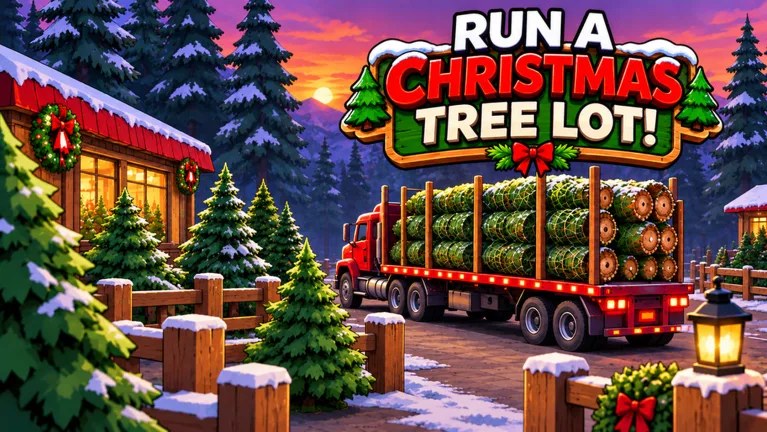 Image: Roblox / Mr. Grinchmas
Follow this basic cycle:
- Order through the computer. Add trees to your order and place it.
- Stock the delivered trees. Put them on display for customers to browse.
- Respond to a customer's selection. Complete checkout for the tree they choose.
- Load the tree into their car. Finish the purchase before returning to other tasks.
- Reorder as stock sells. Keep money available for another delivery.
Avoid spending your entire balance on one large order. Keep some cash available so you can replace trees that sell while other inventory is still sitting on the lot.
Order a mix of tree types rather than filling every available spot with the same choice. Customers browse your selection, and some leave without buying. Watch which trees sell, then use that information when placing your next order.
When you're handling everything alone, finish an active customer's purchase before starting another round of shopping or decorating. Use the gaps between customers to stock incoming deliveries and review your inventory.
Hire Help Before Expanding Your Workload
Workers can help run the business, including cashiers. During the opening stretch, handle the tasks yourself and check the hiring options as you progress.
Once hiring becomes available, put earnings toward help with work that keeps pulling you away from stocking and deliveries. Keep enough money for replacement trees alongside that purchase.
The lot also offers stock-zone upgrades, additional space, and decorations such as paths and lighting. Expand when you need room for more inventory; keep decoration purchases within the money left after restocking and staffing.
Check your quests, too. Objectives include selling trees, and completing them provides additional rewards. Claim completed quests before making your next spending decision so you know how much cash you have available.
Use Free Rewards to Support Your Solo Start
Cash codes can help fund inventory, while timed boosts reward a stretch of active selling. Try these codes through Menu → Codes on the right side of the screen:
| Code | Reward |
|---|---|
| BUDDYTHEELF | 10k Cash |
| IMBROKE | 25k Cash |
| SNOWBALL | 10k Cash |
| MISTLETOE | 2x Cash for 30 minutes |
| NICELIST | 2x Reputation for 10 Minutes |
Enter each code exactly as written, including capitalization. Codes can expire.
Put cash rewards toward trees and workers before buying decorations. Before redeeming a timed boost, stock your lot and leave yourself time to serve customers. Happy customers earn Reputation, so keep completing purchases during a Reputation boost.
Skip CHRISTMAS and SANTA250; both are expired.
Understand the Paid Upgrades Before Buying
Paid passes change specific parts of the business. Compare their effects with the task you want help with before spending Robux.
| Pass | Price | Effect |
|---|---|---|
| Instant Delivery | 149 Robux | The supplier truck heads out immediately after you place an order |
| 2x Cash | 99 Robux | Doubles the profit on every tree sold |
| 2x Reputation | 79 Robux | Doubles Reputation earned from every happy customer |
| VIP | 199 Robux | Customers pay up to 15% more and leave happier reviews; includes a gold VIP chat tag |
Pay particular attention to the Instant Delivery description: it changes when the supplier truck departs. Keep planning your orders around the stock you still have available to sell.
Continue with
 Run a Christmas Tree Lot Game Chat: Tips for FriendsUse Run a Christmas Tree Lot game chat to coordinate tree orders, talk through upgrades, troubleshoot voice audio, and recognize the gold VIP chat tag.
More in Community

Run a Christmas Tree Lot Play With Friends: Co-Op Guide
Run a Christmas Tree Lot play with friends: learn the six-player server limit, split stocking and customer duties, and plan upgrades for group sessions.

Run a Christmas Tree Lot Player Count: Peak & Growth
Explore Run a Christmas Tree Lot player count, its 32,678-player peak, six-player servers, and recent growth to see how busy this Roblox tycoon has become.
Run a Christmas Tree Lot Roblox Group: Community Guide
Find the Run a Christmas Tree Lot Roblox group and join Mr. Grinchmas. Explore community channels, codes, and tips for running your festive tree business.
Run a Christmas Tree Lot Roblox: Complete Starter Guide
Run a Christmas Tree Lot Roblox guide to stocking trees, hiring workers, expanding your business, redeeming codes, and preparing for festive live events.
Continue exploring
Join the community
Official channels for news, updates and player help: