Run a Christmas Tree Lot Sell Trees: A Sales Guide
Learn the Run a Christmas Tree Lot sell trees loop, from ordering stock to loading cars. Manage prices, hire workers, and keep your lot ready for shoppers.
Jump to
How to Sell Trees in Run a Christmas Tree Lot
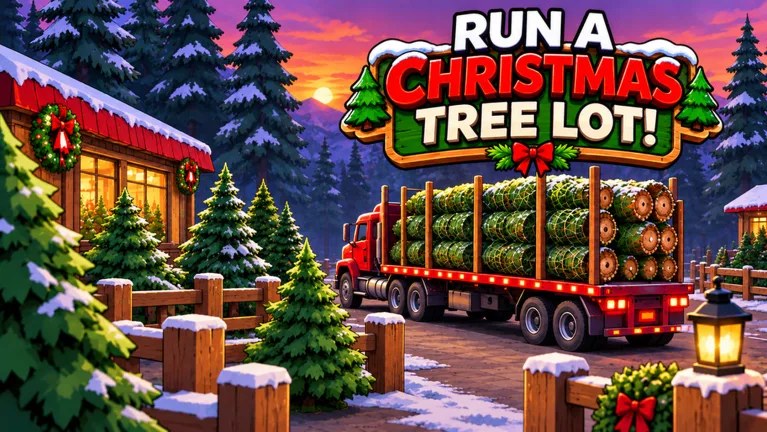
Your next sale takes more than putting a tree on display. The Run a Christmas Tree Lot sell trees loop runs from ordering inventory to checking out a customer's selection and loading it onto their car. Keep that final handoff moving so you can get back to stocking your lot and serving shoppers.
To complete a sale in Run a Christmas Tree Lot on Roblox, follow these steps:
- Order trees at the computer. Add your chosen trees to the order and place it.
- Wait for the delivery. Ordering inventory and displaying it are separate tasks.
- Stock your display area. Carry delivered trees onto the lot and place them.
- Let a customer choose. Wait until the shopper has selected a tree.
- Complete checkout. Process the selected tree before taking it to the vehicle.
- Load the tree onto the customer's car. Follow the order through this last step.
If a customer has checked out but is still waiting, finish the car delivery before starting another large restocking job.
Order a Mix of Trees Without Spending Everything
Different tree types are available, and the supply interface includes demand information. Check that information before placing another order rather than repeatedly buying the same variety.

Start with manageable quantities across several available types. Trees such as Siberian Fir and European Silver Fir give you different inventory to display, but filling the entire lot with one species leaves less room for other choices.
Use this restocking routine:
- Check what remains on display before buying more.
- Read the demand information while choosing your next order.
- Replenish varieties customers are purchasing instead of adding to an untouched pile.
- Keep some cash available for your next delivery or business upgrade.
Group matching species together and leave room to move between displays. That makes it easier to find and carry trees while handling deliveries and customer orders.
Adjust Prices Around Customer Reactions
Tree prices are adjustable, and customers can object when they consider a tree too expensive. Watch their reactions before increasing prices across your inventory.
Change prices gradually, then watch whether shoppers purchase those trees or leave without choosing one. If customers complain about the cost, lower that price before making another increase.
Avoid automatically setting every tree to the minimum. Selling for less brings in less money per sale, so use price cuts deliberately. If a variety keeps sitting on display, check its demand and price before ordering another batch.
There is no need to apply the same adjustment to every species. Pay attention to the trees customers actually select and the ones they pass over.
Hire Workers Where Tasks Are Backing Up
Workers can help operate the business, including checkout and moving or stocking trees. Hire around the task that keeps pulling you away from everything else.
If checkout needs constant attention, put cash toward a cashier. If deliveries are piling up while you serve customers, consider a worker who handles trees. After hiring, watch which tasks are being completed and cover the remaining work yourself.
In a shared lot, divide responsibilities between ordering, stocking, checkout, and car loading. Agree on who places supply orders so both players are not buying another large shipment at once.
Expansion and upgrades let you develop the business further. Read each upgrade's cash and reputation requirements before spending your balance on extra inventory. Keep enough trees available to continue making sales while you work toward those requirements.
Understand What Paid Sales Boosts Actually Do
The 2x Cash pass costs 99 Robux and doubles profit on each tree sold. Keep inventory stocked and orders moving to make use of its sales benefit.
VIP costs 199 Robux. Customers pay up to 15% more and leave happier reviews. The “up to” matters: that figure is the maximum advertised increase, so avoid budgeting around every customer paying the full extra amount.
Instant Delivery costs 149 Robux and makes the supplier truck head out immediately after you place an order. You still need to receive the shipment and stock the trees. Choose it when the delay before the truck departs is the part of restocking you want to shorten.
Continue with
 Run a Christmas Tree Lot Tree Sale Profit: Cash TipsImprove Run a Christmas Tree Lot tree sale profit with cash codes, smarter stocking, and details on 2x Cash and VIP. Put your payout toward more sales.
More in Sales
Run a Christmas Tree Lot Reputation: How to Earn More
Grow your Run a Christmas Tree Lot reputation with happy customers, free reward codes, and reputation boosts. Learn how to keep sales moving as you expand.
Run a Christmas Tree Lot Sales Guide: Earn More Cash
Use this Run a Christmas Tree Lot sales guide to keep trees stocked, manage workers, fix checkout delays, and invest in upgrades that support more sales.
Continue exploring
Join the community
Official channels for news, updates and player help: