Run a Christmas Tree Lot Sales Guide: Earn More Cash
Use this Run a Christmas Tree Lot sales guide to keep trees stocked, manage workers, fix checkout delays, and invest in upgrades that support more sales.
Jump to
How to Increase Tree Sales
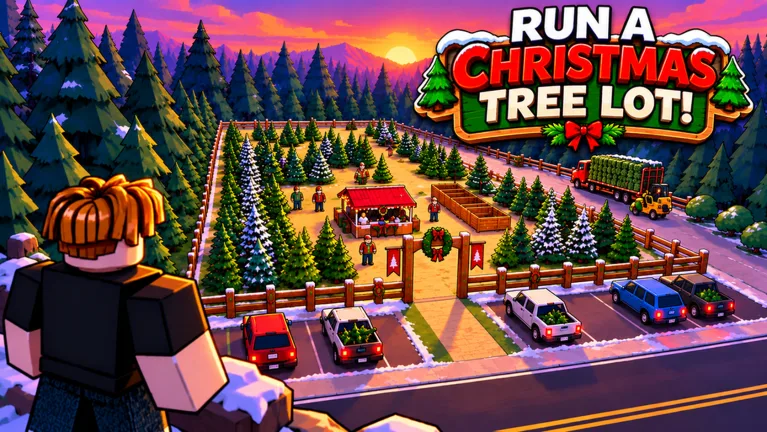
An empty tree display gives customers nothing to buy. This Run a Christmas Tree Lot sales guide helps you keep inventory moving, manage workers, and put earnings toward a business that can handle more sales. Start with stock and customer service before spending your cash on a bigger holiday display.
In Run a Christmas Tree Lot on Roblox, you order trees, stock them for shoppers, and sell them to earn cash. Customers also need their trees taken to their cars, so pay attention to the work happening beyond the register.
Build your sales routine around these tasks:
- Check your remaining trees. Place another order before your displays run empty.
- Keep serving customers. Handle checkout or tree loading while workers cover other duties.
- Watch where work piles up. Spend toward the task that repeatedly needs your attention.
- Keep cash for another order. Avoid using your entire balance on an upgrade while inventory runs low.
Supplier deliveries involve a wait. Order while you still have trees available, then use that time to help customers instead of standing around waiting for the truck.
Hire Workers Around the Tasks You Need Covered
Workers help run the lot, including handling trees and operating the register. Use them to divide the workload: hire help for tree handling while you take checkout, or cover customers yourself when the cashier is away.
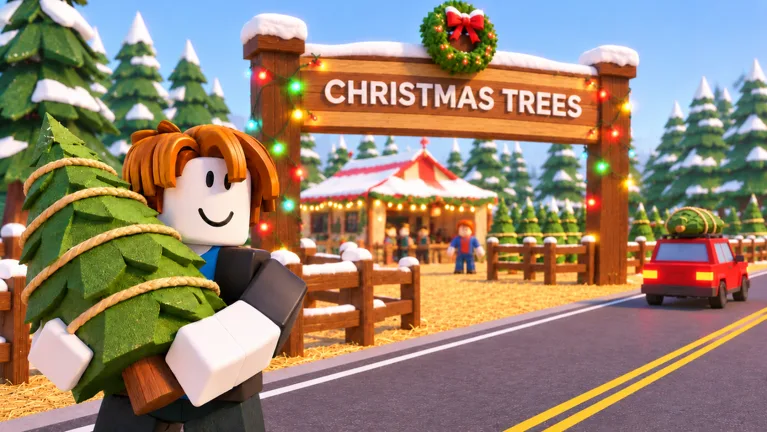 Image: Roblox / Mr. Grinchmas
Before buying another employee, watch your existing staff through a few customer interactions. A checkout line deserves a different response from trees waiting to be carried to cars.
If customers are backing up:
- Look at the register. Check whether the cashier is actually at the workstation.
- Check for a break. Workers take breaks, so step in while the station is unattended.
- Inspect the resting area. If employees gather around the same chair, check the seating and placement.
- Follow the tree-handling work. Help with loading when that task needs attention.
Avoid buying more staff simply because the lot looks busy. Identify the unattended job first, then hire for that job.
Expand Without Spending Your Restocking Money
You can expand the lot, upgrade its buildings, and improve parking as the business grows. Keep those purchases tied to what you can afford to operate.
Before purchasing an expansion, check your tree supply and the cash needed for your next order. A larger lot still needs inventory and workers to run it.
Separate functional purchases from decorations when deciding what to buy next. Snow machines, sofas, and Santa-themed items can build out your Christmas setting, but keep enough money available to continue ordering trees.
Use this spending order when cash is tight:
- Replenish trees that are running low.
- Add help for an uncovered customer-service task.
- Expand or upgrade with money left after those needs.
- Buy decorative extras when another stock order is already affordable.
That order keeps each purchase connected to the business you are currently running.
Use Cash Codes and Time Your Boosts
Cash rewards can help fund inventory and staff. Try these codes through Menu → Codes on the right side of the screen:
| Code | Reward |
|---|---|
| BUDDYTHEELF | 10k Cash |
| IMBROKE | 25k Cash |
| SNOWBALL | 10k Cash |
| MISTLETOE | 2x Cash for 30 minutes |
Enter codes exactly as written, including capitalization. If one fails, check the spelling; codes can also expire.
Before redeeming MISTLETOE, stock your displays and make sure you can stay to serve customers. Use its 30-minute window while the lot is ready to sell, rather than spending that time waiting on a depleted inventory.
Put flat cash rewards toward an immediate need. Order trees if stock is low, or hire help if you are repeatedly leaving one task unattended.
Understand What Paid Sales Upgrades Do
The 2x Cash game pass costs 99 Robux and doubles the profit on every tree sold. Keep inventory and service moving to make use of that bonus.
VIP costs 199 Robux. Customers pay up to 15% more and leave happier reviews. The “up to” matters: that percentage is a ceiling, not a fixed increase on every purchase.
Instant Delivery costs 149 Robux and makes the supplier truck head out immediately after you order. It changes when the truck departs; keep watching your stock rather than waiting until the last tree sells to reorder.
Before spending Robux, identify the problem you want to address. Choose a profit bonus for sales you are already completing, or consider the delivery upgrade when supplier waiting is disrupting your restocking routine.
Continue with
 Run a Christmas Tree Lot Sell Trees: A Sales GuideLearn the Run a Christmas Tree Lot sell trees loop, from ordering stock to loading cars. Manage prices, hire workers, and keep your lot ready for shoppers.
More in Sales

Run a Christmas Tree Lot Reputation: How to Earn More
Grow your Run a Christmas Tree Lot reputation with happy customers, free reward codes, and reputation boosts. Learn how to keep sales moving as you expand.
Run a Christmas Tree Lot Tree Sale Profit: Cash Tips
Improve Run a Christmas Tree Lot tree sale profit with cash codes, smarter stocking, and details on 2x Cash and VIP. Put your payout toward more sales.
Continue exploring
Run a Christmas Tree Lot Stock Trees: Restock Guide
Run a Christmas Tree Lot stock trees guide: order deliveries, fill your lot, manage cash, and choose upgrades that keep your Christmas tree shop moving.
Run a Christmas Tree Lot Tree Types: Stocking Guide
Explore Run a Christmas Tree Lot tree types, learn which trees to order, and use demand, stock organization, and delivery tips to keep your lot selling.
Join the community
Official channels for news, updates and player help: